Pollen Font Procreate Brush Stamp Guide
Digital illustration and graphic design have evolved rapidly, shifting from complex desktop software to intuitive, touch-based interfaces. For many creators, the iPad has become a primary studio, offering portability without sacrificing power. Within this ecosystem, efficiency is often just as valuable as artistic talent. This is where specialized tools like the Pollen Font Procreate Brush Stamp come into play. Rather than spending hours drawing repetitive elements or searching for the perfect typography layout, artists can leverage pre-made stamps to enhance their workflow. This collection offers a unique blend of organic texture and typographic structure, allowing users to create cards, patterns, and illustrations with remarkable speed.
Understanding the Tool
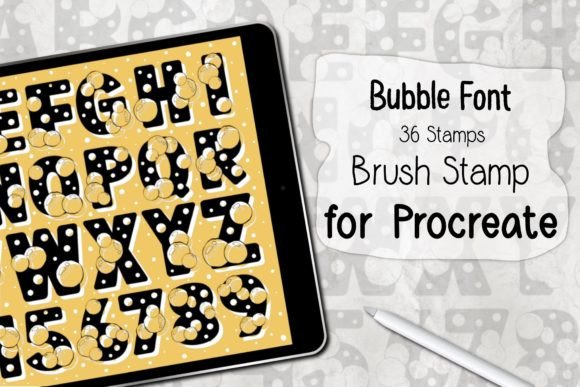
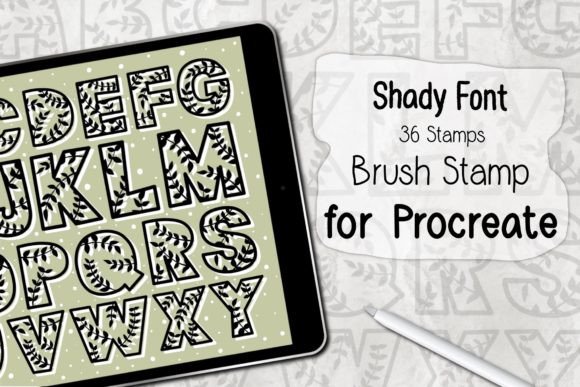
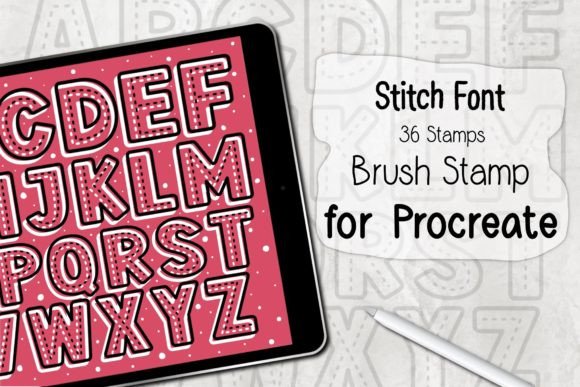
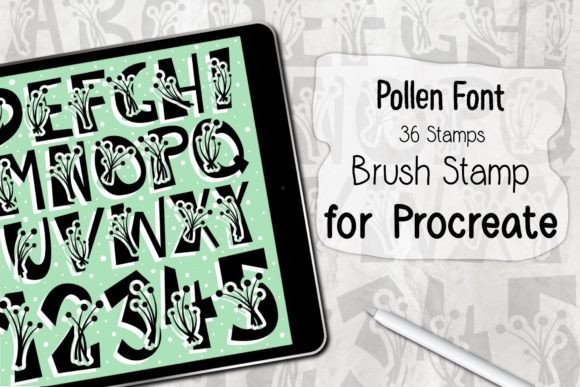
The Pollen Font Procreate Brush Stamp is not merely a font file; it is a specialized brush set designed exclusively for the Procreate application. It contains 36 distinct stamps that merge letterforms with decorative, pollen-like textures. This hybrid approach allows for immediate visual impact. When you select a stamp, you are not just placing a letter; you are adding a textured element that behaves like a natural media mark. This distinction is crucial for digital artists who want their work to feel less "computer-generated" and more handcrafted.
The technical requirements are straightforward but specific. To use this tool effectively, you need an iPad Pro or a standard iPad paired with an Apple Pencil or a compatible, pressure-sensitive stylus. The software requirement is Procreate version 5.0 or higher. This ensures that the brush engine can handle the stamp dynamics correctly. The file itself is delivered as a ZIP archive containing a single .brushset file. Installation is seamless: users download the file, unzip it, and select "Open in Procreate." The app automatically installs the brushes into the library, ready for immediate use. This ease of installation lowers the barrier to entry, making it accessible even to those who are not tech-savvy.
Why Different Creators Value Efficiency
The value of a tool like the Pollen Font Procreate Brush Stamp varies significantly depending on the user’s goals. For a professional illustrator, time is money. For a hobbyist, time is leisure. Understanding these differing priorities helps in evaluating whether this brush set aligns with your creative needs.
For Beginners and Hobbyists
Newcomers to digital art often struggle with consistency. Drawing straight lines, perfect circles, or uniform lettering can be frustrating when you are still developing motor control with a stylus. The Pollen Font Procreate Brush Stamp acts as a scaffold. It allows beginners to produce polished-looking results without needing advanced technical skills. A hobbyist creating a digital journal or a birthday card for a friend can focus on composition and color rather than worrying about kerning or line weight. The instant nature of the stamps provides a sense of accomplishment and encourages continued practice.
For Professional Designers and Freelancers
Experienced designers face different challenges, primarily related to deadlines and client revisions. When working on social media graphics, packaging concepts, or editorial illustrations, speed is essential. A freelancer might use the Pollen Font Procreate Brush Stamp to quickly mock up a layout. Instead of manually typing text and then applying texture overlays in post-production, they can stamp the desired elements directly onto the canvas. This reduces the number of layers and steps required, streamlining the workflow. Furthermore, the organic texture of the pollen effect can add a unique selling point to commercial projects, distinguishing them from the clean, vector-based designs that dominate the market.
For Educators and Content Creators
Educators and bloggers often need to create engaging visual aids quickly. Whether it is a worksheet for students, a thumbnail for a video, or an infographic for a blog post, clarity and aesthetic appeal are key. The Pollen Font Procreate Brush Stamp allows educators to create custom headers and decorative borders that capture attention. The 36 varied stamps provide enough diversity to keep content fresh without requiring a new design for every piece. For marketers, this tool facilitates rapid A/B testing of visual styles. They can quickly generate multiple variations of a promotional image to see which resonates more with their audience.
Practical Applications and Use Cases
To truly understand the utility of this brush set, it helps to look at specific scenarios where it shines. The versatility of the 36 stamps means they can be adapted for various project types.
- Greeting Cards and Invitations: The organic, soft edges of the pollen texture make these stamps ideal for wedding invitations, baby shower announcements, or heartfelt thank-you notes. Users can layer stamps to create depth, combining larger floral-like letters with smaller accent marks.
- Pattern Design: By repeating and rotating the stamps, users can create seamless patterns for textiles, wallpapers, or digital backgrounds. The variation in the 36 stamps prevents the pattern from looking too rigid or mechanical.
- Social Media Graphics: Instagram stories and Pinterest pins benefit from eye-catching typography. The Pollen Font Procreate Brush Stamp allows creators to overlay text on photos in a way that feels integrated rather than slapped on.
- Journaling and Scrapbooking: Digital planners and scrapbookers can use these stamps to decorate pages. The texture mimics the look of ink on paper, adding a tactile quality to digital layouts.
Evaluating Fit for Your Workflow
Before downloading any digital asset, it is wise to consider how it fits into your existing toolkit. The Pollen Font Procreate Brush Stamp is a niche product. It is not a replacement for a comprehensive typeface library, nor is it a substitute for hand-lettering skills if you aim for complete customization. However, it is an excellent supplement for specific aesthetic goals.
If your priority is flexibility, consider that these stamps are fixed shapes. You can resize and rotate them, but you cannot edit the anchor points of the letters as you would in vector software. If your priority is speed and texture, this tool is highly effective. It saves time by eliminating the need to create custom brushes from scratch or search for stock elements that may not match your style.
Cost is another factor. Compared to hiring a designer or purchasing multiple stock image subscriptions, a one-time purchase of a brush set is a low-risk investment. For small business owners, this cost-effectiveness is significant. It allows them to maintain a high standard of visual branding without outsourcing every graphic design task.
Installation and Best Practices
Getting started with the Pollen Font Procreate Brush Stamp is designed to be frictionless. After downloading the ZIP file, ensure you unzip it on your iPad or transfer the .brushset file via AirDrop or cloud storage. Opening the file directly in Procreate triggers the automatic installation. Once installed, you will find the new brushes in your Brush Library. It is recommended to organize them into a dedicated group for easy access.
To get the most out of the set, experiment with layer modes. Multiplying the stamp layer over a colored background can change the intensity of the texture. Adjusting opacity can create subtle watermarks or bold statements. Remember that these brushes work only in Procreate. They are not compatible with Photoshop, Illustrator, or other desktop applications. This limitation is important for users who work across multiple platforms. However, for those committed to the iPad ecosystem, the integration is seamless.
In conclusion, the Pollen Font Procreate Brush Stamp offers a practical solution for creators seeking to balance quality and efficiency. Whether you are a beginner looking to boost confidence, a professional aiming to streamline deadlines, or a hobbyist enjoying the creative process, this tool provides a unique aesthetic that is both easy to use and visually engaging. By understanding its capabilities and limitations, you can decide if it is the right addition to your digital art arsenal.