Retro Summer Ice Cream Procreate Pattern
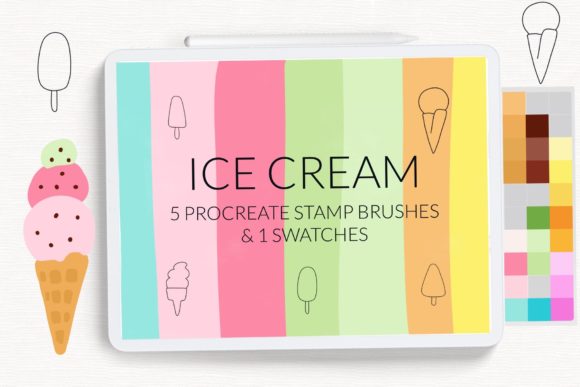
There is a distinct nostalgia embedded in the visual language of mid-century summer. It evokes memories of boardwalks, pastel sunsets, and the simple joy of a melting popsicle on a hot afternoon. For digital artists, capturing this vibe requires more than just skill; it requires the right tools. The Retro Summer Ice Cream Procreate Pattern collection offers a curated suite of assets designed to inject that specific warm, vintage energy into your digital workflow. Whether you are designing social media graphics, creating custom wall art, or drafting greeting cards, these brushes provide an immediate aesthetic foundation that saves time while elevating the final output.
Why Vintage Aesthetics Matter in Digital Design
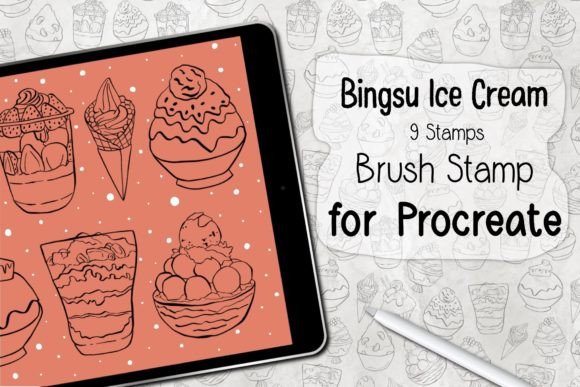
In an era dominated by sleek, minimalist UI design and hyper-realistic 3D renders, retro aesthetics offer a refreshing counterpoint. They feel human, approachable, and emotionally resonant. The Retro summer ice cream background pattern brushes for Procreate tap into this psychological connection. Using elements like waffle cones, classic popsicles, and soft-serve swirls does more than decorate a canvas; it sets a mood. This mood is particularly effective for brands targeting millennials or Gen Z audiences who have a strong affinity for vintage revival trends. By integrating these patterns, creators can soften their brand identity, making it feel more playful and inviting without sacrificing professional quality.
Breakdown of the Brush Set Features
This collection is not merely a random assortment of clipart; it is a functional toolkit built specifically for the iPad Procreate environment. Understanding what is included helps you maximize its utility in your projects.
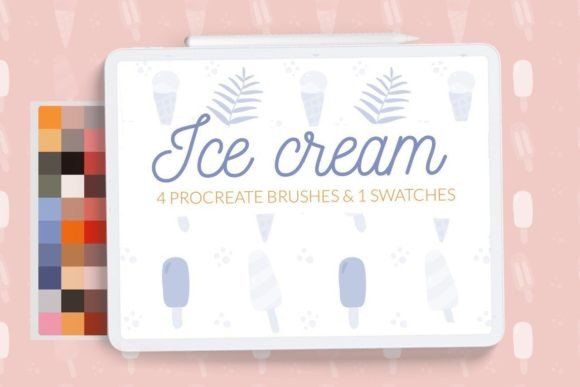
- Four Seamless Background Brushes: The core of this set includes four distinct seamless patterns. These feature iconic summer motifs such as ice cream scoops, popsicles, and waffle cone textures. Because they are seamless, they can be tiled infinitely without visible breaks, making them ideal for wrapping paper designs, website backgrounds, or large-format prints.
- Retro Color Swatches: Color theory is critical in retro design. The included color swatch palette provides pre-selected hues that mimic the faded, sun-bleached look of vintage postcards. Think muted corals, dusty teals, and creamy yellows. This eliminates the guesswork of trying to manually adjust saturation and brightness to achieve an authentic aged look.
- iPad Procreate Exclusivity: These assets are optimized for the Apple Pencil and Procreate’s brush engine, ensuring smooth performance and high-resolution output suitable for professional printing.
Practical Applications for Creators and Businesses
The versatility of the Retro Summer Ice Cream Procreate Pattern extends far beyond personal hobby projects. Here is how various professionals can leverage these tools in real-world scenarios.
Social Media and Content Marketing
For social media managers and influencers, consistency is key. Using these seamless patterns as backgrounds for Instagram stories, Pinterest pins, or TikTok covers creates a cohesive visual identity. The playful nature of ice cream and popsicle motifs performs well during seasonal campaigns, particularly in late spring and summer. You can overlay text promoting sales, events, or blog posts onto these patterns to increase engagement through visually appealing, on-brand graphics.
Greeting Card and Stationery Design
Independent sellers on platforms like Etsy or Shopify can use these brushes to create unique product lines. The seamless nature of the brushes allows for the rapid creation of repeating patterns for digital papers, which can then be sold as downloadable assets or printed on physical goods like notebooks, planners, and greeting cards. The retro theme appeals to customers looking for non-generic, heartfelt designs for birthdays, summer parties, or thank-you notes.
Wall Art and Home Decor
Interior design trends often cycle back to retro influences. Artists can use these brushes to create large-scale digital paintings or patterned prints for wall art. The waffle coin and ice cream motifs work exceptionally well in kitchen decor, nurseries, or casual living spaces. By combining the provided swatches with textured overlays, you can create pieces that look like screen-printed vintage posters, adding tangible value to your art portfolio.
Efficiency and Workflow Enhancement
One of the most significant benefits of using specialized brush sets is the reduction in production time. Creating a seamless pattern from scratch involves complex steps: drawing individual elements, arranging them logically, testing the tile for gaps, and adjusting colors for harmony. With the Retro summer ice cream background pattern brushes for Procreate, this process is condensed into seconds. You simply select the brush, stroke across the canvas, and the pattern generates automatically. This efficiency allows creators to focus on composition and messaging rather than tedious repetitive drawing. For freelancers working on tight deadlines, this speed translates directly to higher productivity and the ability to take on more clients.
How to Install Procreate Brushes
Getting started with your new tools is straightforward, but the method varies slightly depending on your device and software version. Follow these steps to ensure your brushes are installed correctly and ready for use.
Method 1: For Older iPads or Procreate Version 4.0 and Earlier
If you are using an older operating system, the "Open in" function is the most reliable installation method.
- Download the folder containing the
.brushfiles to a accessible location on your iPad, such as the Files app. - Navigate to the folder and locate the specific
.brushfiles you wish to install. - Tap and hold the file with your finger or Apple Pencil to bring up the context menu.
- Select Share from the options provided.
- Look for the option Open in Procreate. If it is not immediately visible, scroll through the app list and click on More.
- Find and select Open in Procreate to complete the import.
- Launch your project in Procreate. Click the brush icon in the top right corner to access your new tools.
Method 2: Direct Import via Procreate Interface
For users on newer versions of Procreate, importing directly within the app is often faster.
- Open Procreate and navigate to the Brush Library by tapping the brush icon.
- Create a new collection by tapping the plus sign (+) or selecting an existing folder where you want to store these assets.
- Tap on the word Import at the top of the brush list.
- Browse your iPad’s files to find the downloaded folder containing the brushes.
- Select the desired
.brushor.brushsetfile. The tool will automatically add it to your selected collection.
Once installed, experiment with the opacity and size settings to customize the density of the patterns. Combining the retro ice cream brushes with the provided color swatches will give you the most authentic vintage result. Remember, the goal is to evoke a feeling of nostalgic summer joy, so don’t be afraid to layer these patterns with other textures for a richer, more dynamic final piece. © Let s Art ♡.