Anime Foliage Photoshop Brush Set Guide
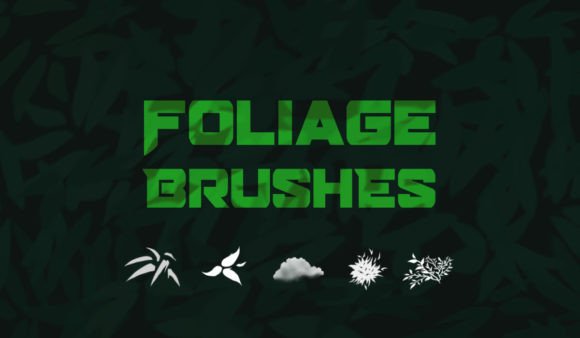
Digital environment art often hits a bottleneck at the tree line. You have your character designed, your perspective grids locked in, and your lighting scheme mapped out, but when it comes to filling the background with organic life, the process slows to a crawl. Painting leaves individually is not just tedious; it is often counterproductive to the visual cohesion of an anime-style piece. This is where a specialized toolset becomes less of a luxury and more of a structural necessity for efficient workflow. The Anime Foliage Photoshop Brush Set addresses this specific friction point by providing five hand-crafted brushes designed to replicate the stylized, clustered aesthetic common in Japanese animation and illustration.
For professionals and hobbyists alike, the value here is not merely in having "more brushes," but in having tools that understand the assignment. Anime foliage does not follow the strict botanical realism of Western concept art. It relies on shape language, color blocking, and suggestive detail rather than pixel-perfect leaf veins. By utilizing a brush set tailored to this style, artists can bridge the gap between blank canvas and finished background with significantly reduced manual effort. This article explores how these five specific brushes can transform your environment drawing process, offering practical insights into their application and limitations.
Understanding the Stylized Aesthetic
To understand why a generic leaf brush fails in anime-style work, one must first analyze the visual language of the genre. In anime backgrounds, foliage is often treated as a series of interconnected shapes rather than individual objects. Shadows are hard-edged, highlights are sharp, and clusters of leaves form distinct silhouettes. A standard photorealistic brush tends to create noise and visual clutter that fights against the clean lines of the foreground characters. The Anime Foliage Photoshop Brush Set is engineered to respect these stylistic conventions. Each of the five included brushes is calibrated to produce strokes that mimic the painted, slightly abstracted look of high-quality animation backgrounds.
This distinction matters because it affects the readability of your artwork. When background elements are too detailed, they compete for attention with the main subject. These brushes help maintain visual hierarchy by allowing you to lay down broad, cohesive masses of greenery that suggest detail without overwhelming the viewer. For marketers and content creators who need to produce consistent visual assets quickly, this ability to balance detail and simplicity is crucial for maintaining brand clarity and audience engagement.
Efficiency in Environment Construction
Time is the most scarce resource for any digital creator. Whether you are a freelancer working on tight deadlines or a small business owner creating social media graphics, the hours spent painting individual leaves add up. The primary benefit of this brush set is the acceleration of the blocking-in phase. With five distinct brush tips, you can cover large areas of canopy, define mid-ground shrubbery, and add foreground accents without switching tools constantly. This continuity keeps you in a creative flow state, reducing the cognitive load associated with technical adjustments.
Consider the practical scenario of creating a web banner or a book cover. You need a lush forest backdrop, but you do not have three days to paint it. Using these hand-crafted brushes, you can establish the base colors and shapes in minutes. The brushes are designed to layer well, meaning you can build depth by stacking lighter tones over darker bases. This non-destructive approach allows for rapid iteration. If a client requests a change in the time of day, you can adjust the hue of your underlying layers and let the brush textures do the heavy lifting for the new lighting conditions. This flexibility is invaluable for professionals who need to respond quickly to feedback.
Versatility Across Use Cases
While the name suggests a niche application, the utility of the Anime Foliage Photoshop Brush Set extends beyond traditional anime illustration. Educators teaching digital art fundamentals can use these tools to demonstrate how stylization works, showing students how to simplify complex natural forms into manageable shapes. Bloggers and publishers looking for unique header images can use these brushes to create custom, copyright-safe backgrounds that stand out from stock photography. The organic yet controlled nature of the strokes makes them suitable for any project requiring a touch of natural elegance without the messiness of pure realism.
Furthermore, these brushes are helpful for any foliage and environment drawing, regardless of the final output medium. Game developers creating 2D assets can use them to texture tilesets or create parallax background layers. The consistent stroke behavior ensures that repeated elements look natural rather than robotic. For entrepreneurs designing packaging or promotional materials, the soft, painterly quality of the foliage can evoke feelings of freshness and organic quality, aligning well with brands focused on sustainability or natural products.
Maximizing the Five Hand-Crafted Brushes
The set includes five specific brushes, each serving a distinct role in the environment pipeline. Understanding their individual strengths allows for more sophisticated compositions. Typically, such a set will include a large filler brush for broad canopy shapes, a medium detailer for defining clumps, and smaller accent brushes for stray leaves or foreground interest. To get the most out of them, avoid using them in isolation. The magic happens in the layering.
- Base Layering: Start with the largest brush to block in the overall silhouette of your trees or bushes. Use a muted, dark green to establish shadow areas.
- Mid-Tone Definition: Switch to the medium brushes to break up the solid shapes. Introduce variation in hue, leaning towards warmer greens or yellows depending on your light source.
- Highlighting: Use the smallest or sharpest brush to add specular highlights. In anime styles, these are often crisp and limited to the edges of leaf clusters facing the light.
- Color Variation: Do not rely solely on the brush opacity. Manually shift your color wheel slightly between strokes to prevent the foliage from looking flat or monochromatic.
This methodical approach ensures that even though you are using pre-made tools, the result feels hand-painted and intentional. It prevents the "stamp" look that plagues poorly used brush sets, where patterns become obvious and repetitive.
Limitations and Considerations
No tool is a panacea, and it is important to recognize where the Anime Foliage Photoshop Brush Set fits and where it does not. If your project requires hyper-realistic botanical accuracy, such as for a scientific illustration or a photorealistic architectural visualization, these stylized brushes will not suffice. They are designed for aesthetic appeal and speed, not scientific precision. Additionally, like any digital asset, overuse can lead to visual fatigue. If every piece of foliage in your portfolio looks identical, your work may lack uniqueness. It is advisable to customize the brushes further by adjusting spacing, jitter, or color dynamics to suit your personal style.
Users should also consider their hardware. While Photoshop is optimized for performance, complex brush engines with high-resolution textures can lag on older machines. Testing the brushes on your specific setup ensures a smooth experience. Moreover, understanding the principles of light and shadow remains essential. The brushes provide the texture, but you must provide the logic. A beautifully textured tree will still look flat if the lighting does not match the rest of the scene.
Integrating into Your Creative Workflow
Adopting new tools requires a shift in habit. Start by integrating one or two of the five brushes into your current projects rather than overhauling your entire process overnight. Use them for background elements first, where mistakes are less critical. As you become comfortable with their behavior, begin using them for more prominent environmental features. Keep your layers organized; label your foliage layers clearly so you can adjust their color balance or opacity independently later in the process. This organizational discipline amplifies the efficiency gains provided by the brushes themselves.
Ultimately, the Anime Foliage Photoshop Brush Set is a facilitator of creativity. It removes the technical barrier of rendering complex organic textures, allowing you to focus on composition, mood, and storytelling. For the modern digital creator, whether a seasoned professional or an enthusiastic hobbyist, such tools are not about cutting corners—they are about working smarter. By streamlining the mundane aspects of environment drawing, you free up mental energy for the artistic decisions that truly define your work. Embrace these hand-crafted resources as part of a broader toolkit, and watch your productivity and artistic consistency rise in tandem.